 Kakuremi
Importing & Exporting Data
Kakuremi works directly with standard KeePass files, so moving data in or out is mostly a matter of opening the right <code>.kdbx</code> file or exporting a copy. This article covers how that works and where the limits are.
Importing means opening a KeePass file
Because Kakuremi reads and writes standard .kdbx files, there is no separate import step for an existing KeePass vault. To bring it in, simply open it: use Open from Files and select the .kdbx file, then unlock it with its master password. See Create and Open a Database for the full process.
There is no CSV or cross-app import
Kakuremi does not parse exports from other password managers, and it does not read generic CSV files. If your data lives in another app, you will need to bring it into the KeePass format first; Kakuremi can then open the resulting .kdbx file like any other.
.kdbx file.Logins captured during AutoFill
When you save a login while filling a password in another app or in Safari, Kakuremi holds it briefly and merges it into your vault the next time you unlock. The new logins are added to the vault's root group, and you will see a short confirmation such as Imported N from AutoFill.
Export your vault as CSV
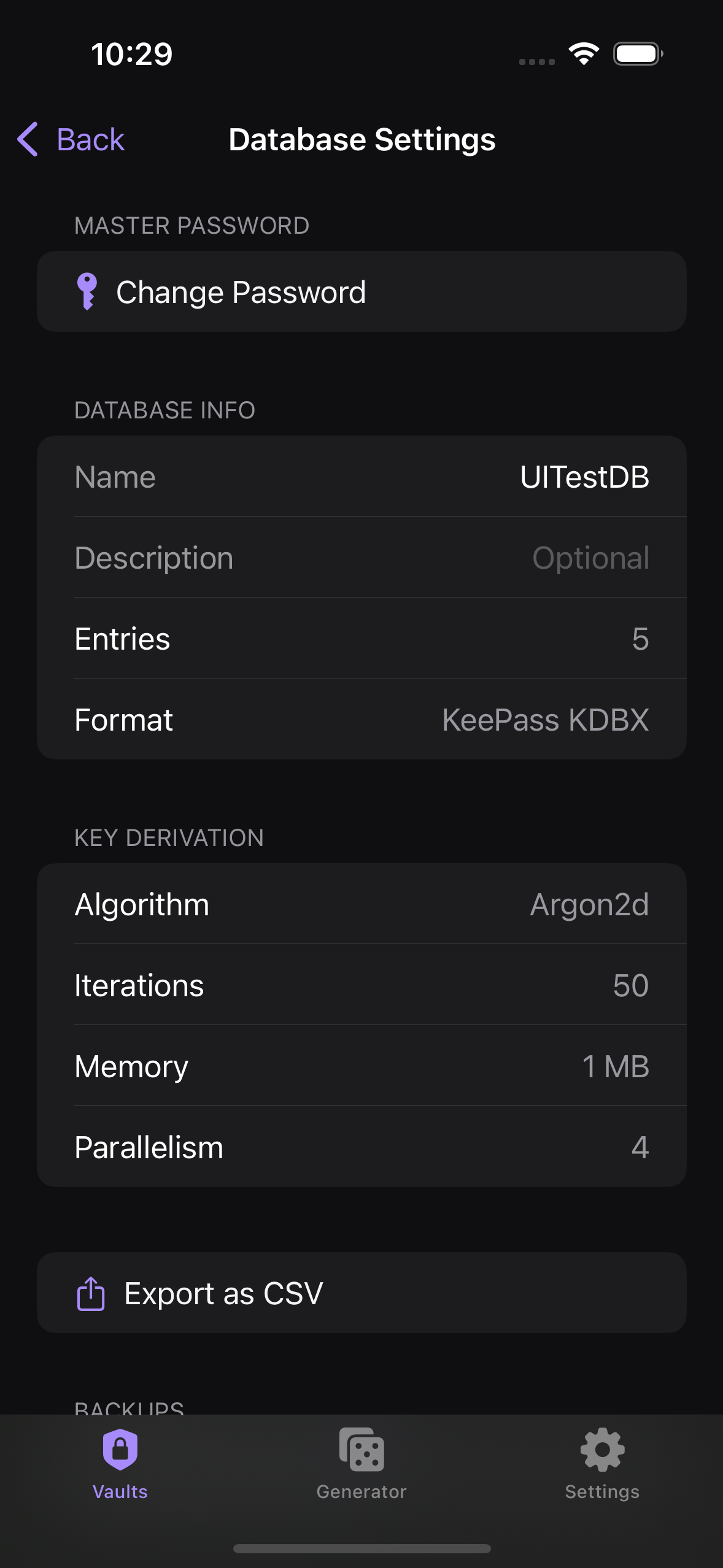
From Database Settings you can export the entire vault to a .csv file. This is useful for moving your data elsewhere or keeping an external record. Export is one-directional: Kakuremi can write a CSV but cannot read one back in.
.kdbx file itself instead of a CSV. Automatic encrypted backups are a Pro feature.